
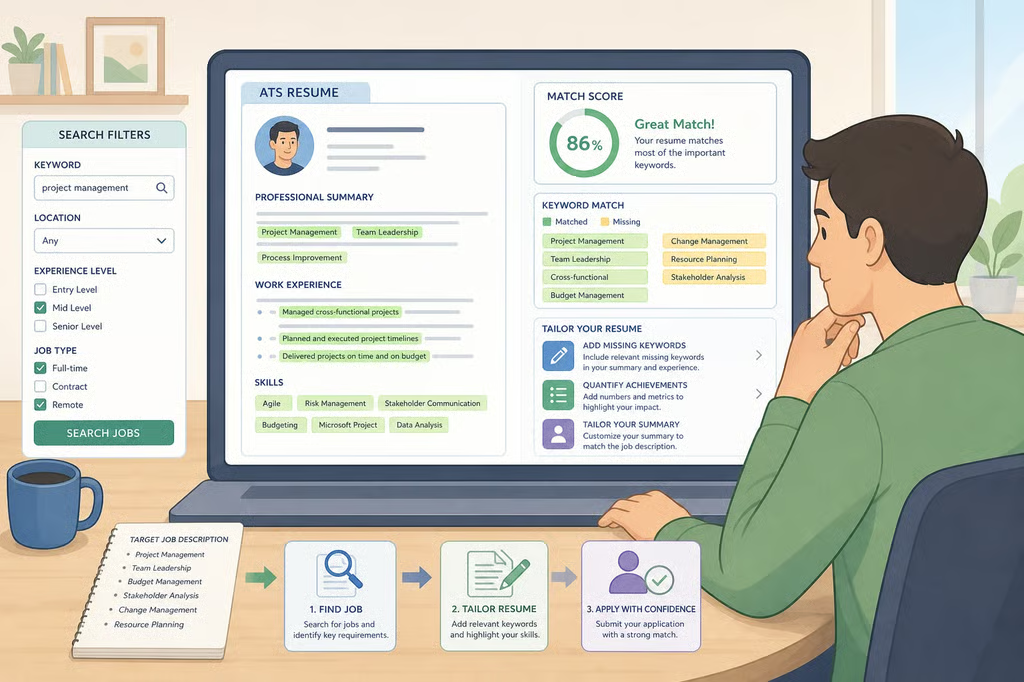
- How to beat AI resume screening: ATS-friendly resume
- Separate what may happen from what you can control
- Understand AI hiring bias in resume screening
- How to write an ATS-friendly resume
- Use AI without outsourcing your story
- Ask what you can about automated screening
- Complete this checklist before submitting
How to beat AI resume screening: ATS-friendly resume
If you are searching for how to beat AI resume screening, focus less on fooling a hidden algorithm and more on making your resume accurate, readable, and closely relevant to the job. No formatting trick or chatbot can guarantee that an application will pass an automated review.
This guide explains how to write an ATS-friendly resume, tailor it to a specific posting, use AI without handing over your professional story, and ask reasonable questions about automated screening. It applies to entry-level applicants, career changers, and experienced professionals submitting resumes through online portals.
A controlled experiment published last year by AAAI/ACM found that large language models preferred resumes they had generated themselves over human-written resumes. Self-preference ranged from 68 percent to 92 percent, even when the quality of the resume content was controlled. The study involved specific models. It did not measure how widely employers use those models or how much influence an automated result has in a live hiring decision.
That distinction should shape the job-search strategy. Build the parts of the application that can be checked, explained, and tailored to the role. Do not base the entire search on guessing which software an employer uses.
Separate what may happen from what you can control
“Applicant tracking system,” or ATS, is a broad label for recruiting software. An employer’s system may collect applications, organize resume information, support matching, or assist with screening. Some recruiting pipelines may also connect to large language models.
The AAAI/ACM study examined LLMs acting as resume evaluators. It did not test every ATS or establish how traditional resume-processing software behaves. That means one ATS tactic cannot be treated as a universal solution.
Use a more practical framework:
- What may happen: A resume may be parsed, organized, matched, ranked, or reviewed by a person.
- What you can control: The document’s readability, the accuracy of its terms, the relevance of its evidence, and the truthfulness of its claims.
- What you usually cannot know: The vendor, model, scoring method, weighting, or role of human reviewers.
Prepare a resume structure that a parser can read and a recruiter can explain. Treat formatting and keyword choices as risk-reduction practices, not guarantees.
Understand AI hiring bias in resume screening

The AAAI/ACM researchers used a controlled resume correspondence experiment. They compared resumes generated by the model being tested with resumes written by people and resumes generated by other models. The study controlled content quality, then measured which resume the model preferred.
Across commercial and open-source models, self-preference ranged from 68 percent to 92 percent, according to AAAI/ACM. Those figures describe preferences inside the study. They are not the percentage of applicants rejected by employers.
The researchers describe the result as a form of algorithmic unfairness that may advantage users of particular AI tools and disadvantage people based on tool choice or access. They also report that interventions based on a model’s ability to recognize its own output reduced the bias by more than 60 percent in the study’s testing environment, according to AAAI/ACM.
That intervention belongs mainly to the employer or vendor. It does not show that a particular company has adopted the same safeguard.
For applicants, the lesson is narrower: imitating an “AI” writing style is not a dependable screening strategy. Inflated verbs, generic claims, copied job-posting language, and achievements that cannot be explained in an interview can weaken a resume, regardless of who reads it.
How to write an ATS-friendly resume
Use the following applicant tracking system resume optimization practices as cautious, practical steps. They can reduce avoidable confusion, but they cannot predict how a particular employer’s system will process a file.
1. Use familiar section headings

Label major sections plainly:
- Experience
- Education
- Skills
- Certifications
- Projects
A standard structure also helps a recruiter understand the document quickly. Keep contact information in the main document rather than placing essential details in a design element that may not transfer cleanly between systems.
When a portal’s formatting behavior is unclear, choose a simple layout. Tables, text boxes, graphics, and decorative columns can create transfer problems, so avoiding them is the lower-risk choice. Review the uploaded file or pasted application fields when the portal gives you an opportunity to do so.
2. Match relevant language from the posting
Read the job description for the employer’s terms for tools, skills, job titles, and responsibilities. Use those terms when they accurately describe your background.
For example, an applicant who has used Zendesk should name Zendesk rather than writing only “customer support software.” Someone who coordinated schedules in Microsoft Excel should identify Excel if it is relevant to the position.
Do not copy the posting line by line. Never add a tool, qualification, or responsibility simply because it appears in the advertisement. A keyword unsupported by actual experience can create trouble when a recruiter asks for an example.
3. Keep a plain-text version
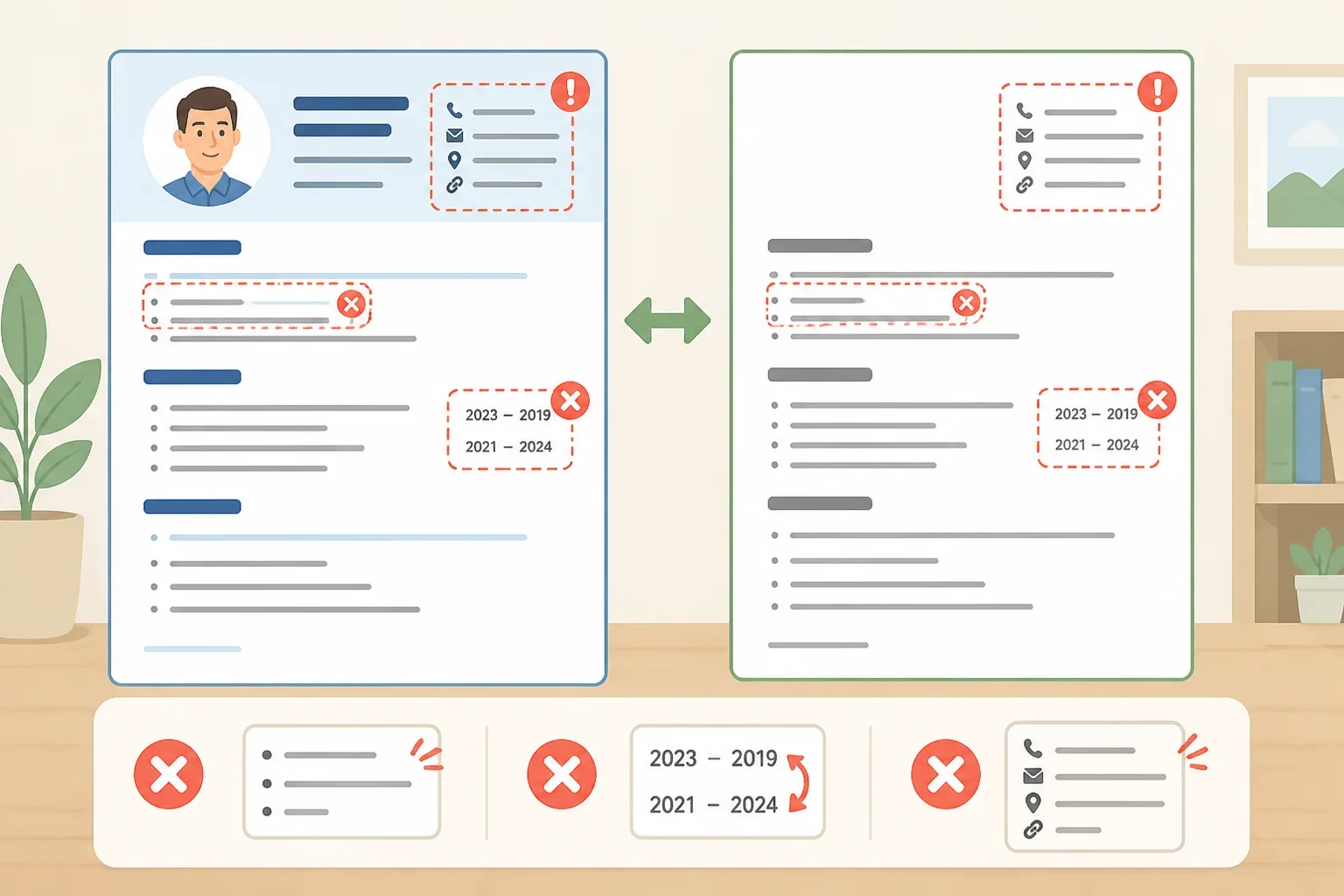
Save a plain-text copy of the resume alongside the formatted version. Use it to check whether job titles, dates, section headings, and bullet points remain understandable when copied into an application form.
Look for missing characters, scrambled dates, broken bullets, or contact details that have moved to the wrong place. The plain-text version is a quality check, not a secret way to get past an ATS.
4. Sort the posting before rewriting your resume
Create four short lists from the job description:
- Required skills: Qualifications the posting presents as necessary.
- Preferred skills: Experience the employer says would help.
- Core duties: Work the person in the role would perform.
- Evidence you can prove: Your own tasks, tools, results, projects, or training that connect to those requirements.
Then revise only where the lists overlap. This keeps tailoring focused and helps separate a genuine match from a keyword you do not actually possess.
Suppose an entry-level administrative posting asks for calendar coordination, Microsoft Excel, and customer communication. A vague bullet such as “Helped the office with various tasks” does not show enough evidence. If accurate, a stronger version might be: “Coordinated appointments, updated Excel tracking sheets, and responded to customer scheduling questions.”
The example connects the posting’s language to actual work without claiming experience the applicant lacks. Career changers can use the same approach with retail scheduling, inventory reconciliation, point-of-sale systems, or customer issue resolution when those tasks relate to the new role.
5. Show evidence instead of repeating keywords
Relevant terminology is more useful when connected to a task, scope, or result. Compare these illustrative examples:
- Weak: “Helped with customer service and team projects.”
- Stronger: “Resolved customer questions in Zendesk and documented recurring issues for the support team.”
The second version identifies the tool, the work, and the contribution without inventing a result. Add a measurable outcome only when the figure can be verified. If an exact number is unavailable, describe the scope honestly rather than creating false precision.
Specific details also make the resume easier to discuss in an interview. Name the process used, the type of customer served, the software involved, or the outcome observed. A resume should read like a record of work, not a collection of impressive-sounding labels.
Use AI without outsourcing your story
AI can help with review, but it should not become the author of an employment history.
6. Ask AI to find gaps, not invent achievements
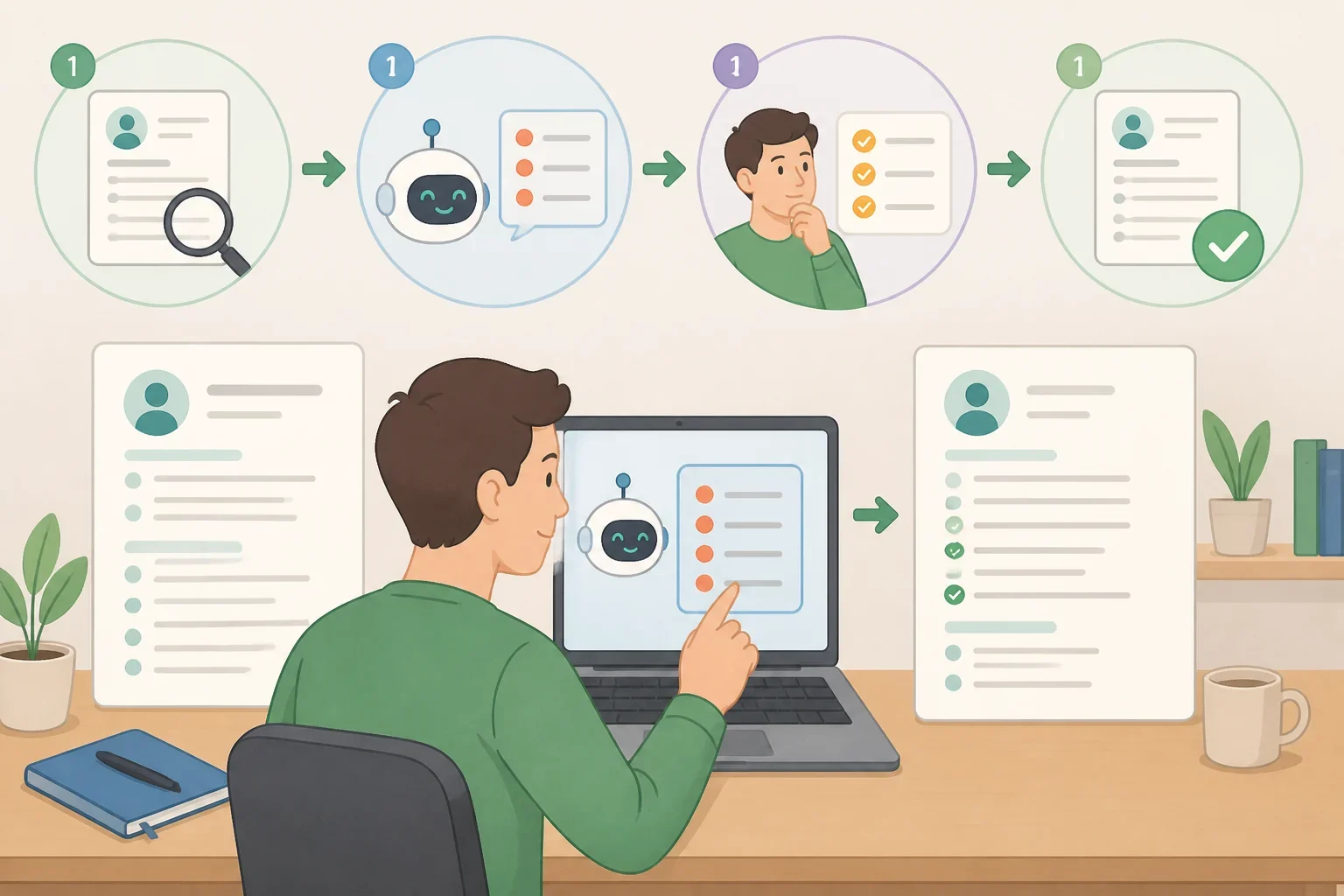
Give the tool the job description and a draft containing real experience. Ask it to identify skills or responsibilities in the posting that the draft does not address. Then decide whether the background genuinely supports each item.
A useful prompt is:
Identify the skills in this job posting that are not clearly represented in my resume. Do not add qualifications or rewrite my experience. Group the results into skills I can support, skills I should verify, and skills I do not have.
This keeps the decision with the applicant. The tool can point out an omission, but it cannot determine whether a task was part of the job or whether a result belongs on the resume.
7. Verify every AI-assisted sentence
Check dates, job titles, employers, tools, certifications, numbers, and responsibility levels against personal records. AI tools can produce polished wording that changes a fact or expands the apparent scope of a role.
Pay close attention to verbs. “Managed a department” is not interchangeable with “supported a department.” “Led implementation” is not the same as “participated in implementation.” Use the wording that can be defended clearly in an interview.
Do not accept a suggestion merely because it sounds confident. Fluency is not proof. Every sentence still needs a human fact check.
Ask what you can about automated screening
You can ask a recruiter or hiring contact whether the role involves automated resume screening and whether a person reviews applications at a later stage. For example:
Does the application process use automated tools to organize or evaluate resumes, and who should applicants contact if they need clarification about the process?
The employer may not disclose its tools, criteria, or review process. A limited answer does not confirm or rule out automated screening.
AI may also appear elsewhere in recruiting. SHRM reported 17 months ago that AI-supported tools can shorten waiting periods, target applicant communications, send reminders, account for time-zone differences, and reschedule interviews. Those functions are different from resume evaluation. A scheduling assistant does not, by itself, show that an AI model ranked a resume.
SHRM also recommends continued recruiter and hiring-manager participation at important stages, including interviews and cultural assessments, according to SHRM. That is guidance for employers, not proof that every organization follows the same process.
The EEOC reported more than three years ago that employers were increasingly using automated systems in recruitment, hiring, monitoring, and firing. Its hearing was titled “Navigating Employment Discrimination in AI and Automated Systems: A New Civil Rights Frontier,” according to the EEOC. This provides regulatory context, not current prevalence data for every employer or industry.
Complete this checklist before submitting
- Build a master resume. Keep a complete record of jobs, projects, tools, education, and results.
- Sort the posting. Mark each requirement as supported, unsupported, or needing clearer evidence.
- Tailor the document. Adjust relevant skills and bullets to reflect the role, but do not add qualifications you cannot support.
- Check the file. Review headings, dates, contact information, formatting, and the plain-text version.
- Verify every claim. Confirm each tool, title, number, and achievement before submitting.
- Save the final version. Keep the resume, job posting, employer name, and application date together.
- Record useful process details. Note recruiter conversations and any information the employer provides about its application process.
A controlled study shows that AI evaluators can favor their own generated text over human writing by wide margins, but it does not establish how widely those systems are deployed or how much weight they carry in hiring. The practical response is straightforward: use readable formatting, match relevant language honestly, show evidence, and verify every claim. That will not reveal a hidden model’s score. It will produce a clearer, more defensible application, which is the part of screening an applicant can actually control.
