

- 7 Productivity Strategies for Better Planning & Follow-Through
- 1. Choose priorities before the day chooses them
- 2. Put realistic work blocks on the calendar
- 3. Protect focus time from avoidable interruptions
- 4. Batch similar administrative work
- 5. Schedule breaks that fit the job
- 6. Delegate, automate, or simplify recurring work
- 7. Review the system at the end of the week
- Apply the system without creating more work
7 Productivity Strategies for Better Planning & Follow-Through
By the end of this guide, you will have a practical system for planning work, protecting focus, handling recurring tasks, and reviewing results. The approach applies to office, remote, hybrid, customer-facing, and shift-based roles, but each strategy should fit your responsibilities, coverage requirements, manager expectations, and team communication norms.
Productivity strategies for work should make priorities easier to see and commitments easier to manage. They should not encourage rushed work, missed messages, poor collaboration, or output that comes at the expense of quality. A more organized workday can give you clearer evidence to discuss with a manager, but it cannot guarantee a promotion or replace strong judgment.
The linked resources from Asana's Anatomy of Work Index, Microsoft's Work Trend Index, Gallup, and other organizations offer broader workplace and planning context. The strategies below are practical recommendations, not claims that one method works for every role.
1. Choose priorities before the day chooses them
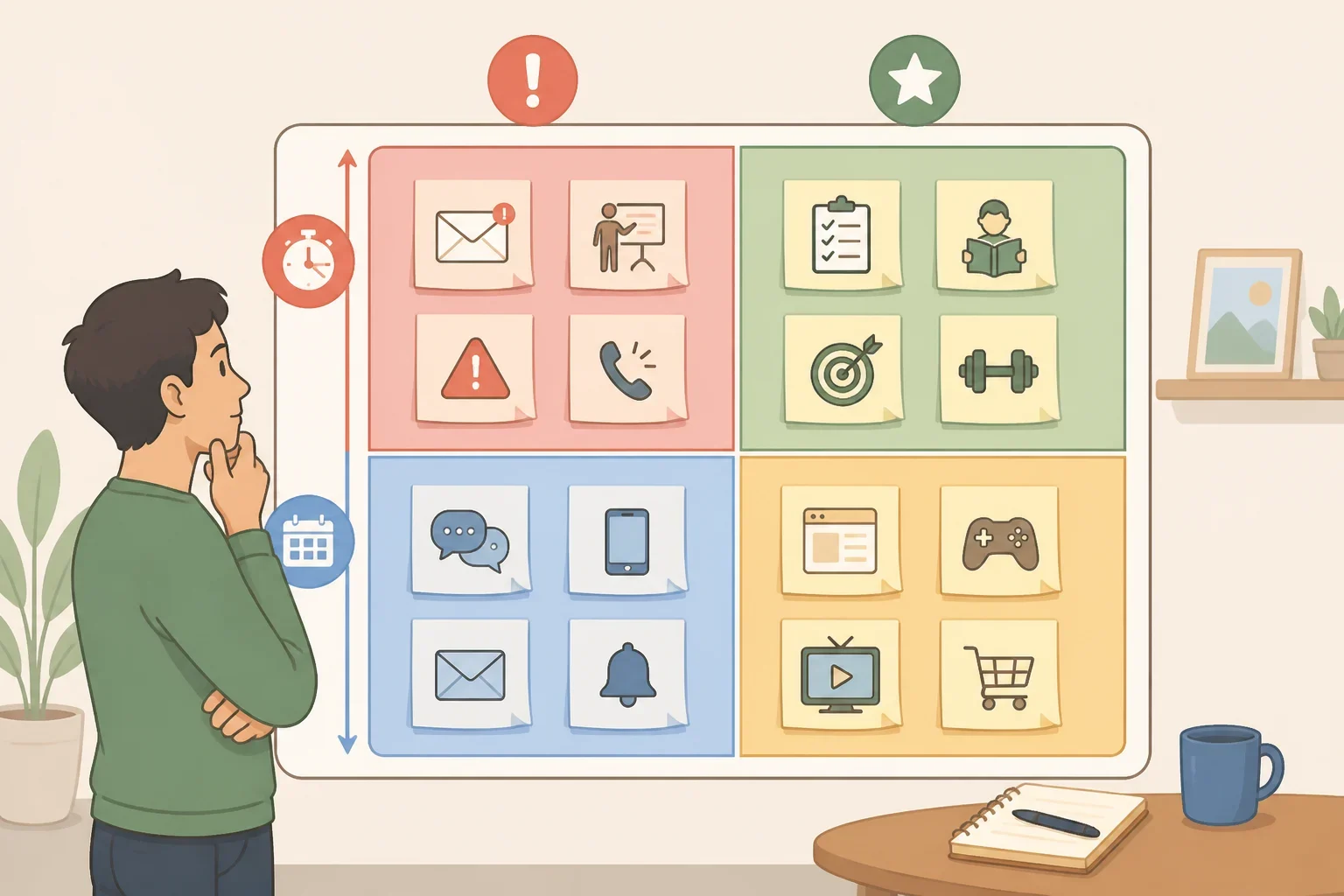
Start by deciding what deserves attention before opening every inbox, chat thread, and notification. A short list of priorities gives you a basis for making decisions when new requests arrive.
The Eisenhower Matrix can help sort tasks into four groups:
- Urgent and important: A client revision due today that affects another deliverable.
- Important but not urgent: A process-improvement project that needs steady progress this week.
- Urgent but less important: A routine request that needs a response but does not affect a major deadline.
- Neither urgent nor important: A meeting or report with no clear purpose or useful outcome.
Treat the matrix as a sorting tool, not as a substitute for clarification. If two tasks seem equally urgent, ask which deadline, customer, project, or dependency takes precedence. That question may prevent hours of work on the wrong item.
For tomorrow, choose two or three priorities as a starting point. Define the outcome rather than the activity. “Send the revised proposal” is clearer than “work on proposal.” Then identify the first dependency. If you need information from a coworker, request it early.
Keep lower-priority work in a separate queue. A list that contains every possible task can make the most important work harder to identify.
2. Put realistic work blocks on the calendar
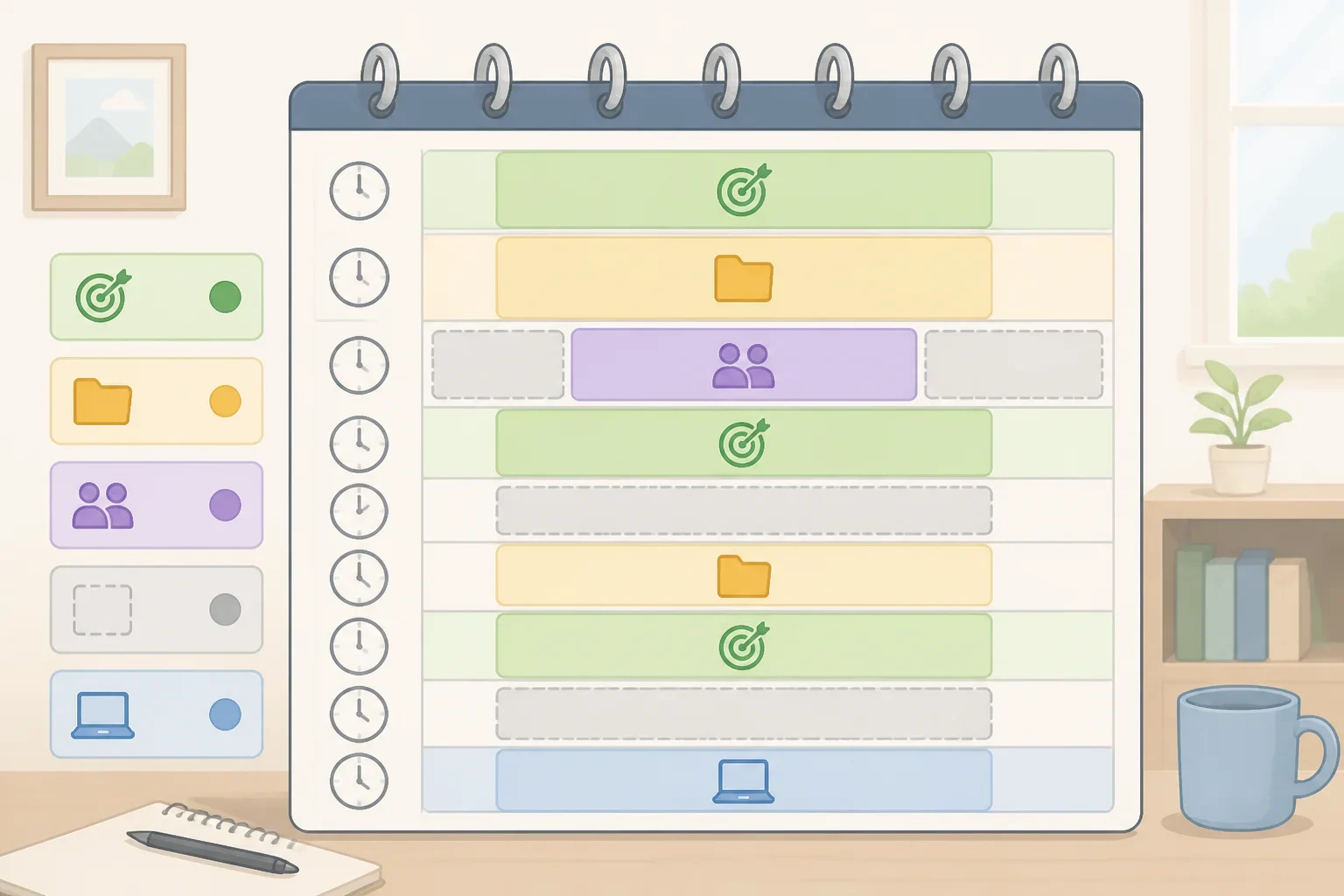
Once priorities are clear, assign them time. Time-blocking means reserving a defined period for a particular kind of work instead of leaving important tasks to whatever time remains.
An example schedule might include:
- 9:00 to 10:00: draft a client response
- 10:00 to 10:30: handle email and approvals
- 11:00 to 12:00: complete project analysis
- 2:00 to 2:30: send team follow-ups
These times are examples, not requirements. Adjust the length and timing to match the role. A manager with frequent meetings may need several short preparation blocks. A customer-facing employee may need smaller windows between service periods. A shift-based worker may plan around handoffs and coverage.
Leave open space for urgent requests, technical problems, travel between meetings, and tasks that take longer than expected. A calendar filled with idealized blocks can create frustration when the day changes. Treat it as a working plan that can be adjusted.
Let coworkers know when you are available. A status such as “focused work until 11:00, available afterward” gives the team useful information without suggesting that collaboration is unwelcome. If the role requires immediate responses, protect only the work periods that can safely be protected.
At the end of the day, compare planned outcomes with completed outcomes. After several workdays, move blocks to the times when concentration, information, and team access are most reliable.
3. Protect focus time from avoidable interruptions

Before starting a focus block, close unrelated tabs, silence non-essential alerts, and place the phone out of reach if the role allows it. Keep a note nearby for new requests that can be handled later.
Start with one defined focus period rather than trying to control the entire day. For example, a designer might mute general chat notifications while keeping direct messages from a project lead visible. A support specialist may need to wait until the service queue is covered before using the same approach.
The Microsoft Work Trend Index is a general resource for reviewing workplace discussions about communication and work patterns. It does not determine the response expectations for a particular team. Follow organizational requirements first.
Do not mute alerts connected to safety, customers, compliance, active service coverage, or shared deadlines. If interruptions are unavoidable, separate critical alerts from routine notifications or arrange coverage for a clearly defined period.
At the end of one focus block, note which interruptions were genuinely urgent. Use that record to adjust settings and expectations instead of trying to eliminate every interruption.
4. Batch similar administrative work
Group similar tasks when doing so will reduce unnecessary movement between different types of work. Suitable categories may include routine email, status updates, approvals, scheduling, expense review, or data entry.
For example, an analyst could draft a report first and handle routine messages at 11:30 and 3:30. A recruiter might group interview scheduling into one window while still responding promptly to a candidate whose interview is scheduled for the same day.
Create categories that match the judgment required. “Communication” may be too broad if client responses require concentration while internal acknowledgments do not. Separate tasks by their deadlines, complexity, and consequences.
The American Psychological Association provides general educational material on attention, task switching, and cognitive load. Use it as background, not as a promise that batching will produce the same result for every worker.
Do not delay a task simply because it falls outside the current batch. Handle requests according to their deadline, customer impact, and team expectations. After a week, compare the time spent on administrative batches with the number of tasks completed. If a batch repeatedly displaces priority work, reduce its scope or divide it into smaller windows.
5. Schedule breaks that fit the job
Plan reasonable pauses alongside work blocks. Depending on the role, that may mean stepping away from a screen, getting water, standing up, or using another appropriate pause before starting the next assignment.
The right approach depends on the work. A warehouse worker, driver, nurse, laboratory employee, and remote analyst may have different coverage and safety requirements. Follow applicable workplace policies and required rest periods, and verify questions with your employer or the relevant official authority.
Gallup's workplace research](https://www.gallup.com/workplace) can provide broad workplace context, but it should not be used to make a medical claim or prescribe one break schedule. The practical question is where a reasonable pause can fit without compromising coverage or deadlines.
Avoid turning a break into another work channel. If the purpose is to reset before the next task, replace the screen-based activity with a genuine pause where the job permits it. If breaks repeatedly become impossible, raise the workload or coverage issue instead of treating it as a personal discipline problem.
6. Delegate, automate, or simplify recurring work
Review tasks that appear every week and ask:
- Does this require your judgment or authority?
- Can the process be simplified?
- Can another team member complete it with clear instructions?
- Can a tool handle part of it?
- What quality check is needed?
Delegation requires more than forwarding an unfinished task. Explain the desired outcome, deadline, available resources, decision rights, and review point. Confirm that the person has the authority and context to complete the work.
Do not delegate confidential, regulated, restricted, or high-risk work without authorization. Automation also needs boundaries. Test the process, check for errors, and review outputs where accuracy matters. A faster process that creates incorrect information is not an improvement.
For example, a team lead could delegate the first draft of a recurring status report, provide a template, set a deadline, and review the first few submissions. A finance employee could test an automated calculation against known results before using it regularly. A manager could replace a routine status meeting with a shared update if the team still has a way to raise problems.
Asana's Anatomy of Work Index](https://asana.com/resources/anatomy-of-work) offers broader material on coordination and routine work. Use it as a prompt for reviewing a process, not as a reason to remove every repetitive task.
Choose one recurring task and compare the time, accuracy, rework, and response quality before and after the change. Include the effect on the person receiving the work.
7. Review the system at the end of the week
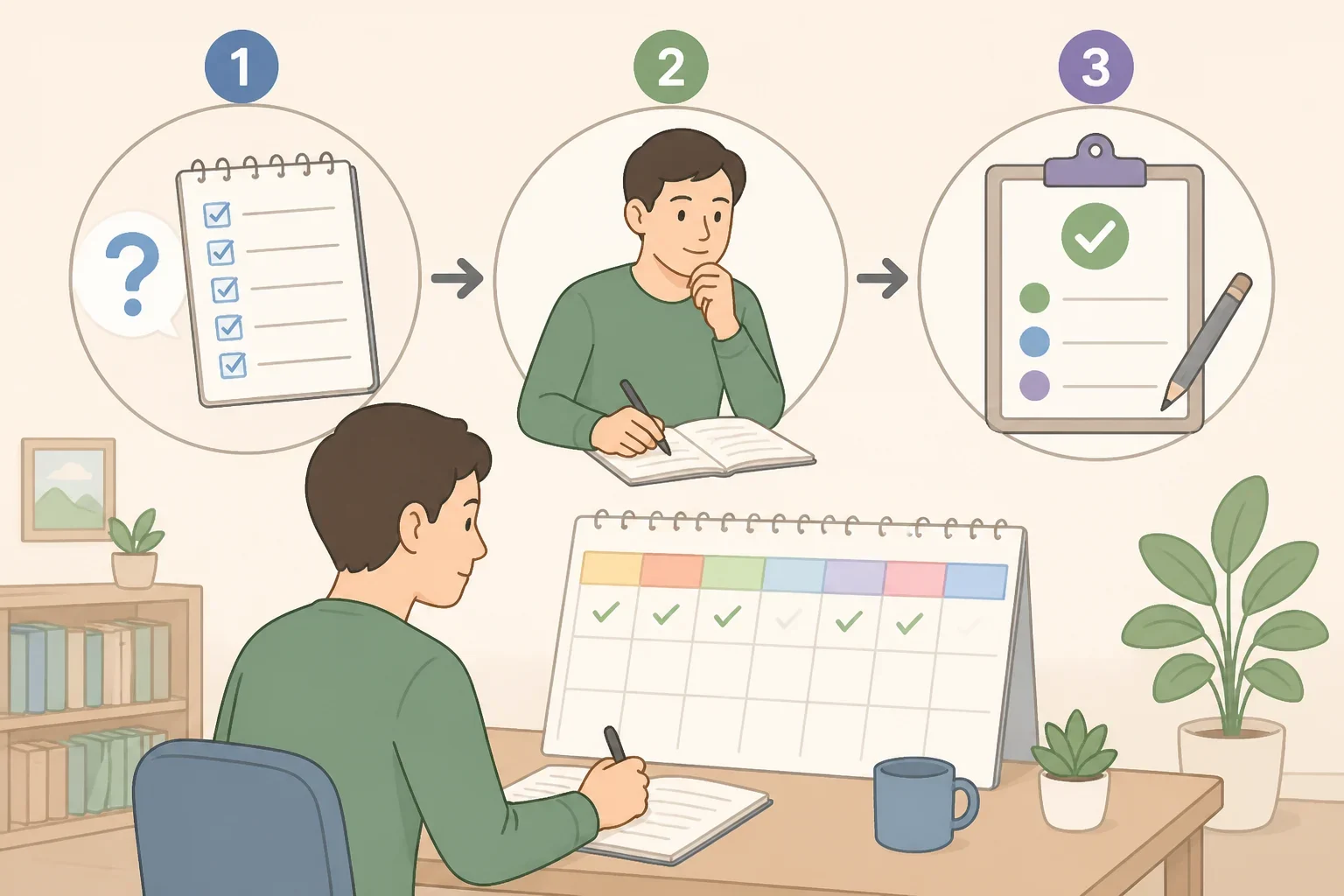
Reserve a short weekly review to examine what happened and adjust the following week. Fifteen minutes is a reasonable starting recommendation, but the length should match the role and workload.
Review four questions:
- Which planned outcomes were completed?
- Which tasks were delayed, and why?
- Where did interruptions, unclear priorities, or dependencies change the plan?
- What should be scheduled differently next week?
Todoist's productivity methods](https://todoist.com/productivity-methods) provide examples of planning and review practices. Atlassian's State of Teams report](https://www.atlassian.com/teams/state-of-teams) offers broader project and team-management context. Neither resource replaces team deadlines, policies, or manager direction.
Use the review to adjust the system, not to criticize yourself. If a task moved three times, determine whether the estimate was unrealistic, the priority changed, or another person’s input was missing. If focus blocks worked on only one day, identify what made that day different.
A weekly review also gives you a way to document career-relevant results. Record:
- deadlines met
- errors or rework reduced
- response times improved
- capacity recovered through a process change
- projects advanced because dependencies were identified earlier
These details are more useful in a performance conversation than simply saying that a new planning habit was adopted.
Apply the system without creating more work
Start with prioritization and time-blocking for one week. Then add one focus block, one batch for routine work, and a short Friday review. Introduce delegation or automation only after identifying a task with a clear outcome and manageable quality risks.
The goal is not to build a second job around managing productivity. It is to make agreed priorities visible, protect the work that requires attention, and create a record of what changed. When preparing for a review or promotion conversation, bring specific examples of completed deadlines, reduced rework, improved response times, or capacity recovered through a process improvement.
Those examples do not guarantee advancement. They do give a manager clearer information about how your work supports the team and where further support or development may be useful.
